

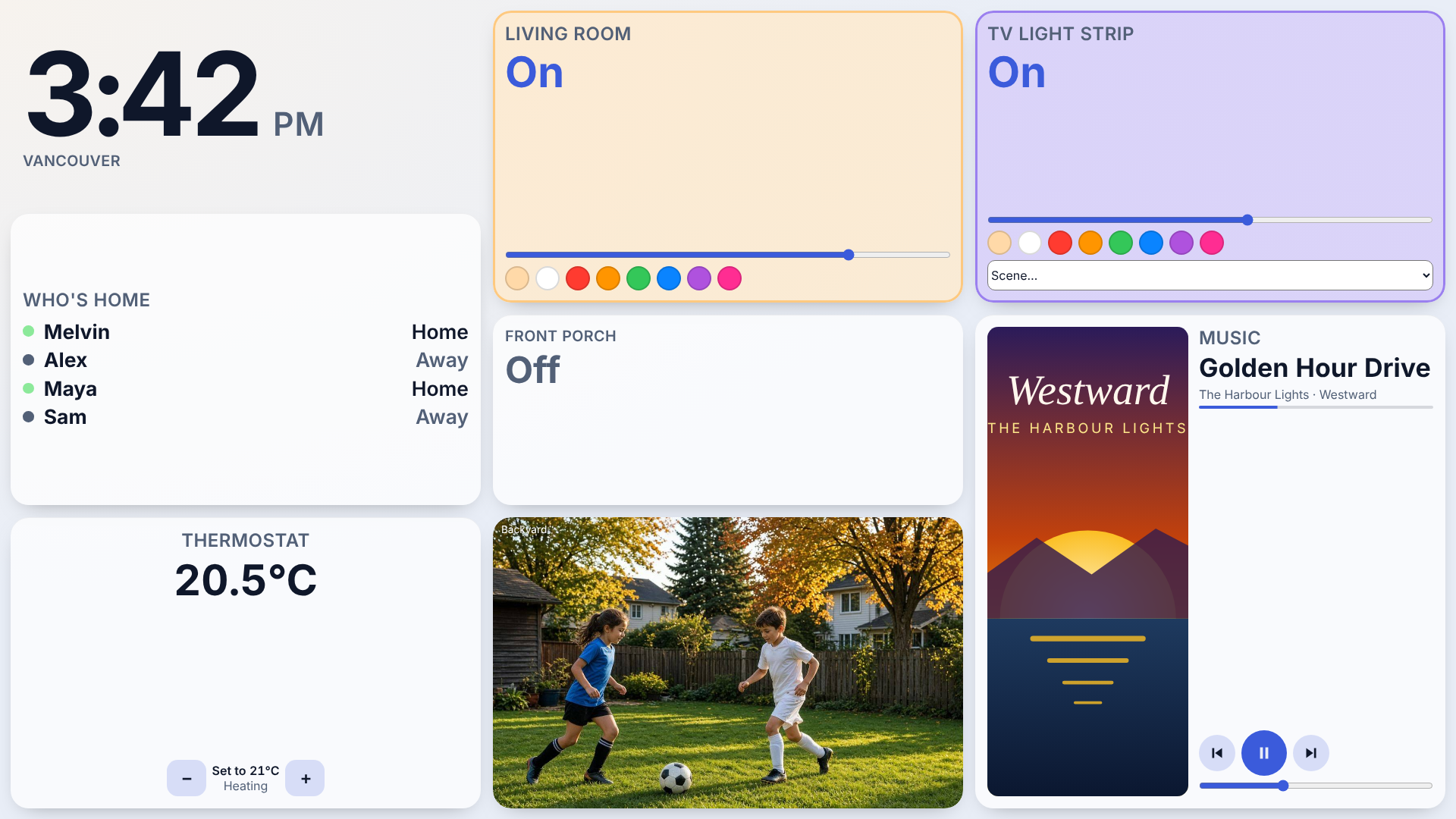
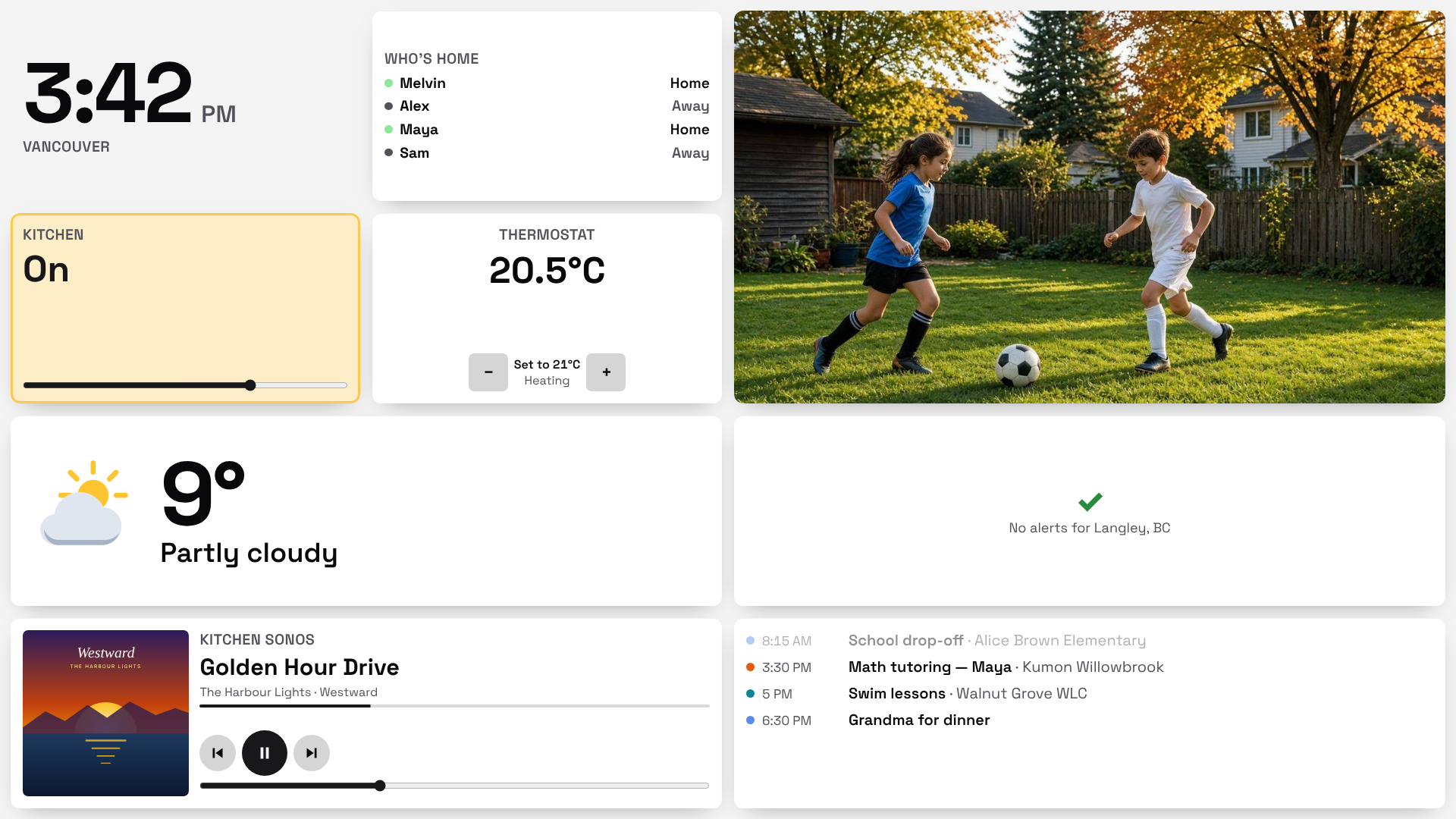
Smart lights are great until someone has to find the right app. A wall dashboard fixes that: the living room, the TV strip and the porch light are one tap away for everyone in the house, including guests and kids without the app. Everydaypane connects to Philips Hue, LIFX and Govee directly, with no Home Assistant server or hub to run at home.
What Each Light Tile Does
- On and off with a tap anywhere on the tile.
- Brightness with a slider.
- Colour swatches while the light is on. The tile takes on the light's colour, so you can see what's on from across the room.
- Scenes for Govee lights: Movie Night, Sunset and whatever else your lights offer.
Connect Your Lights
Philips Hue
In Settings › Smart Home, tap Connect Philips Hue and sign in with your Hue account. Press the button on your Hue bridge once when asked. That's it: your lights show up to add as tiles.
LIFX
Make a personal access token in your LIFX account and paste it in Settings › Smart Home. Everydaypane checks it with LIFX before saving it, encrypted.
Govee
Request an API key in the Govee Home app and paste it in Settings › Smart Home. Your Govee lights, colours and scenes come with it.
More Than Lights
The same Smart Device tile works with Google Nest and ecobee thermostats, SmartThings devices, and anything in Home Assistant if you run it. Around them you can add:
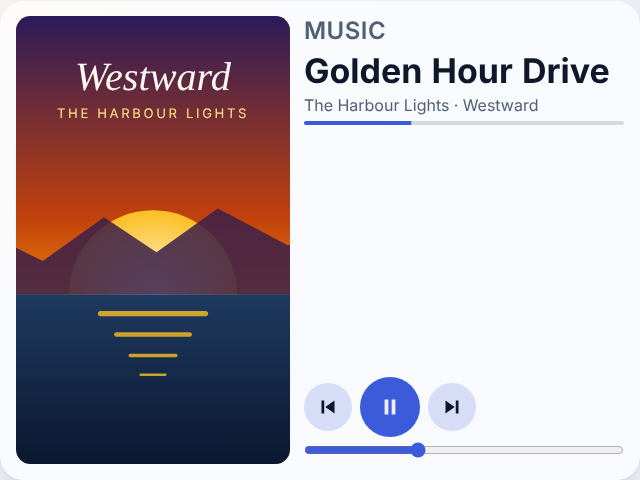
- Music from Spotify, Sonos or Home Assistant: now playing, play and pause, skip and volume.
- Who's home from Home Assistant.
- Camera snapshots and a full-screen doorbell pop-up when someone rings.
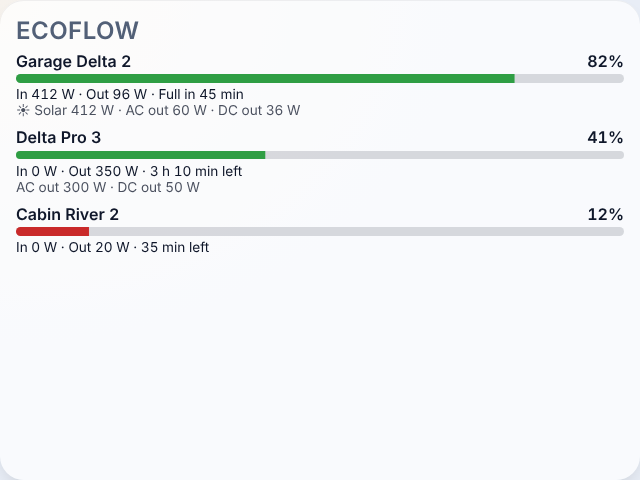
- Power stations from EcoFlow, indoor air from Airthings, sprinklers from Rachio and washer and dryer status from LG and Samsung.
Smart Notices That Combine Them
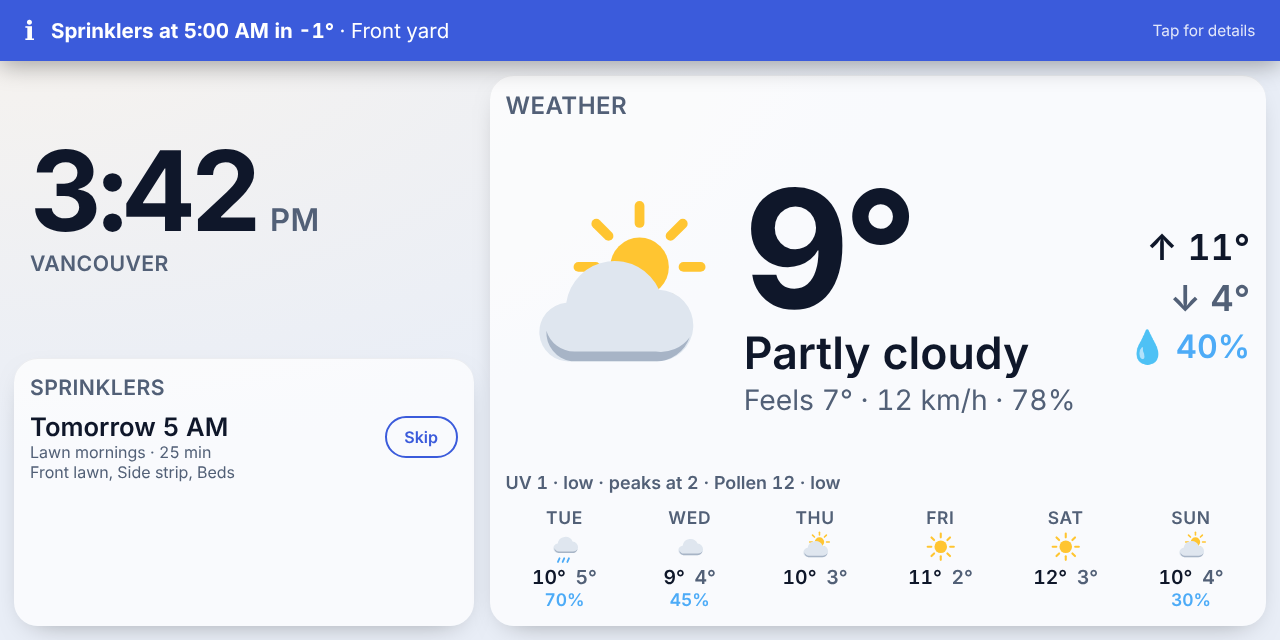
Some of the most useful things happen between devices. Smart notices are small blue notes on the alert strip that join two sources: the sprinklers are due in frost, the backup battery during a power outage, bad air outside with indoor particles rising, laundry left in the machine.
Safe for a Shared Screen
- Only the devices you put on a tile can be controlled from the wall. Nothing else in your account is exposed.
- Locks can be locked from the wall, never unlocked, because anyone in the kitchen can tap the screen.
- Keys and tokens are stored encrypted on the server and never sent to the wall or your browser.
Tip. Smart home controls are part of Household. Prefer Home Assistant? See Home Assistant Through a Free Cloudflare Tunnel.
Ready to try it? Start Free on Everydaypane.