

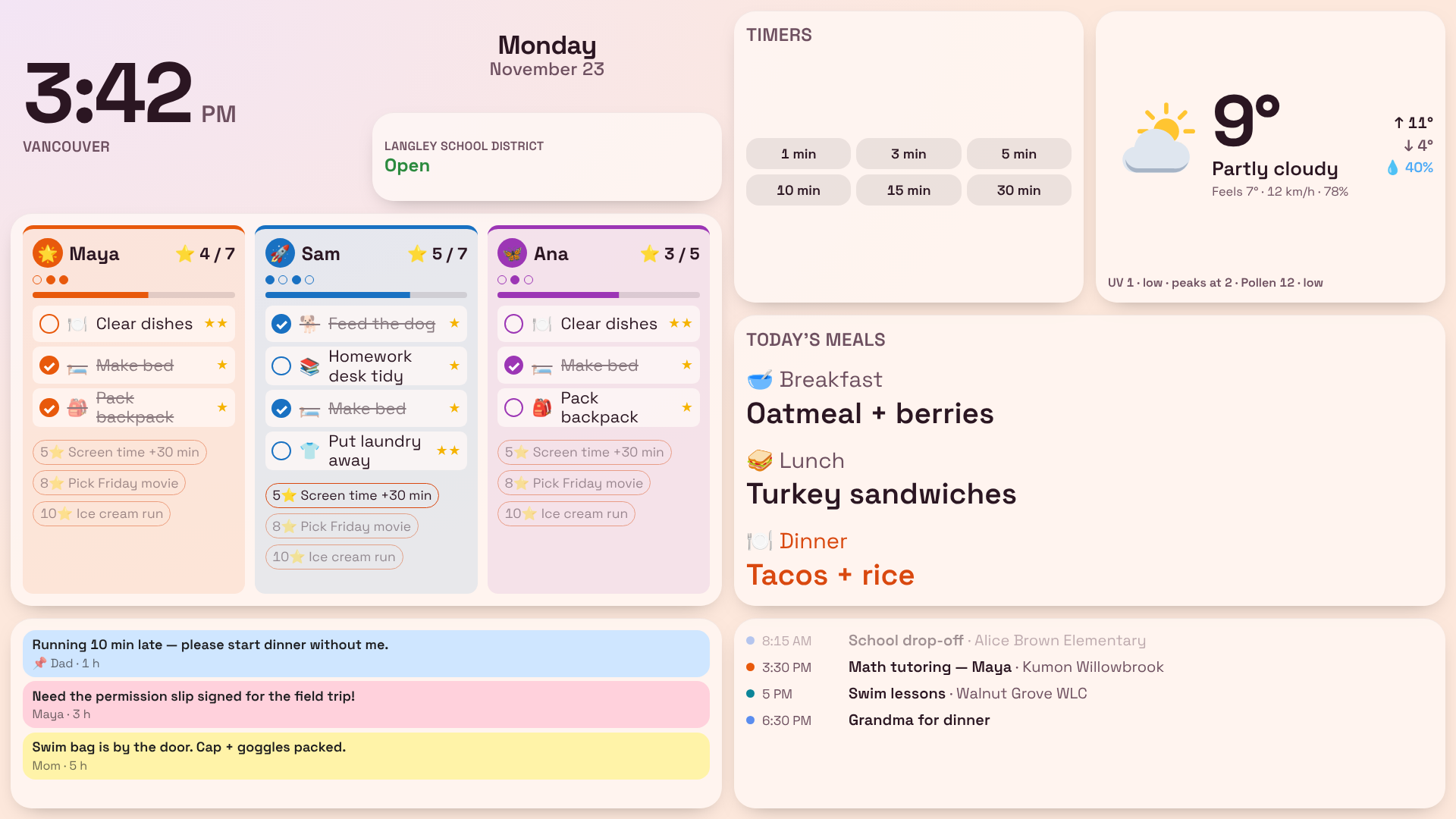
Printable chore charts work for about a week. Then the sticker sheet runs out, someone's chores change, and the chart on the fridge stops matching real life. A chore chart on a screen keeps itself current: the right chores show up on the right days, turns rotate fairly, and stars add up without anyone counting.
How It Works
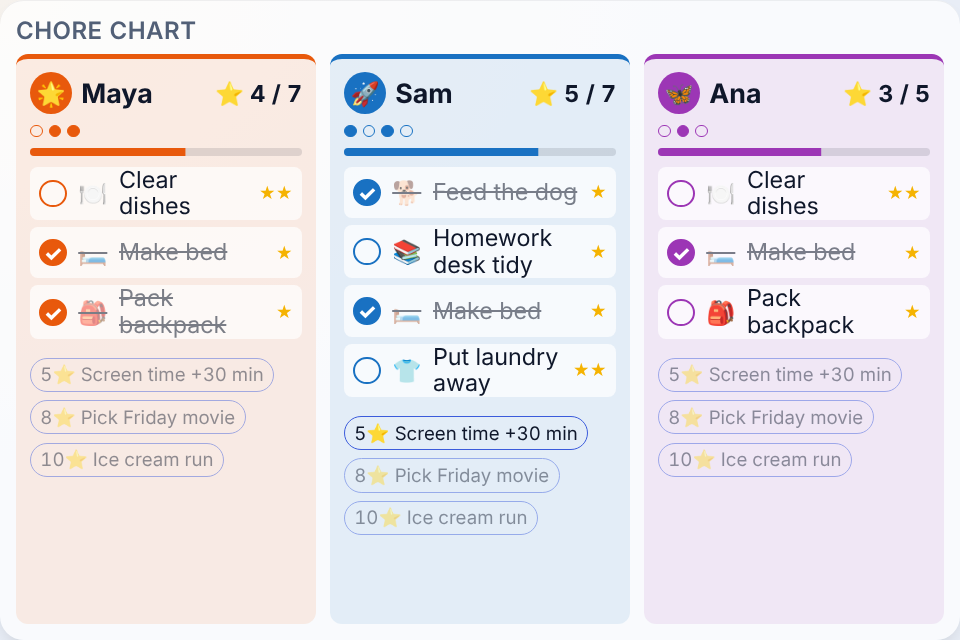
- Chores by time of day. Morning, afternoon, evening or anytime, so “make bed” isn't sitting next to “clear dishes” at 7 AM.
- The right days. Each chore runs on the weekdays you pick: bins on Tuesdays, laundry on Wednesdays and Saturdays.
- Fair turns. A shared chore can go to everyone, rotate each time it's due, or rotate a week at a time.
- Stars. Each chore is worth one to five stars. The wall counts each child's stars for the week, with a progress bar towards a weekly goal.
- Rewards. Set what stars buy: 30 minutes of screen time, picking Friday's movie, an ice cream run. Kids can see what they're saving for.
- A parent PIN. Unticking a chore and spending stars can ask for a PIN, so nobody “un-does” the dishes.
On the Wall, or on Their Own Phone
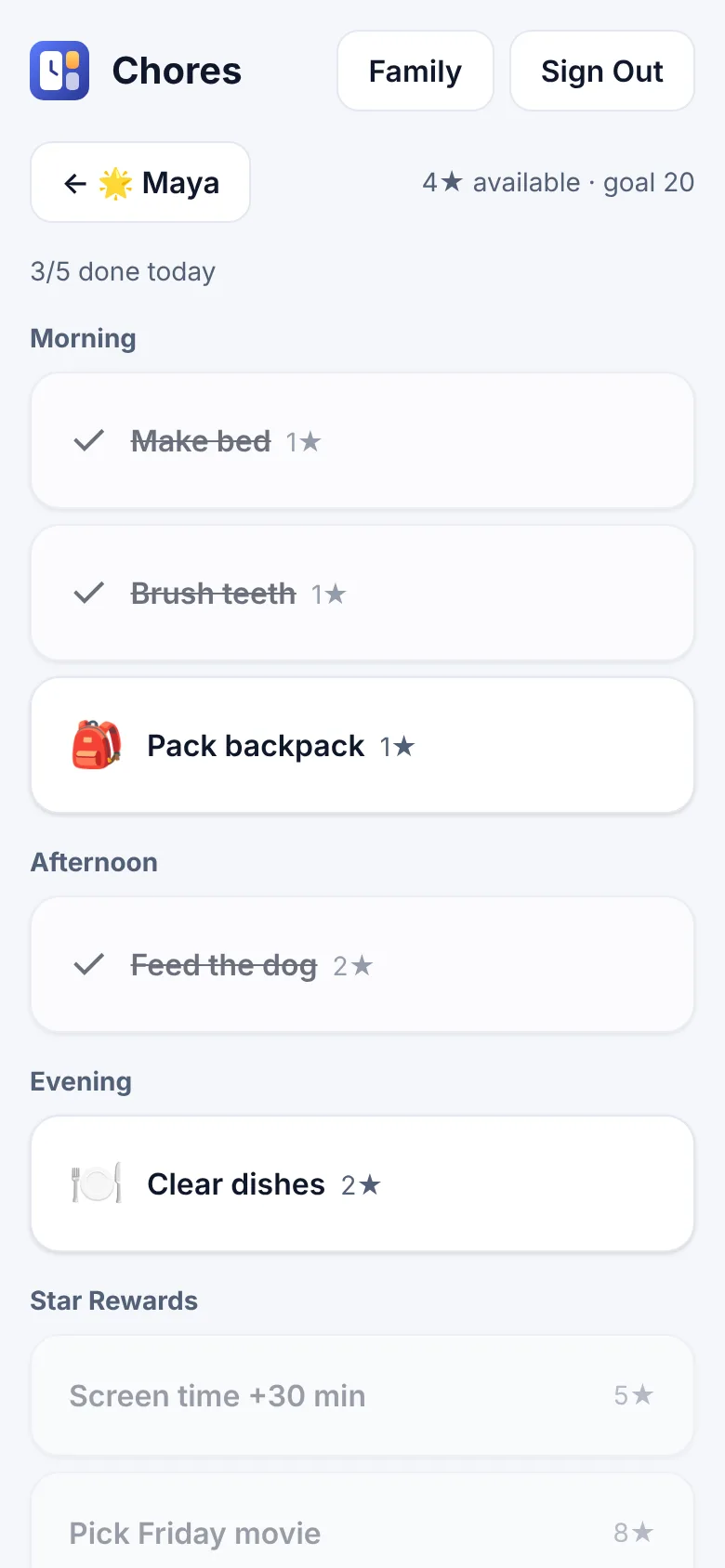
Kids tap their chores on the wall as they do them. Older kids with a phone or tablet get their own page: they pick their name and see just their chores for today, grouped by morning, afternoon and evening, with their rewards underneath.
Three Layouts
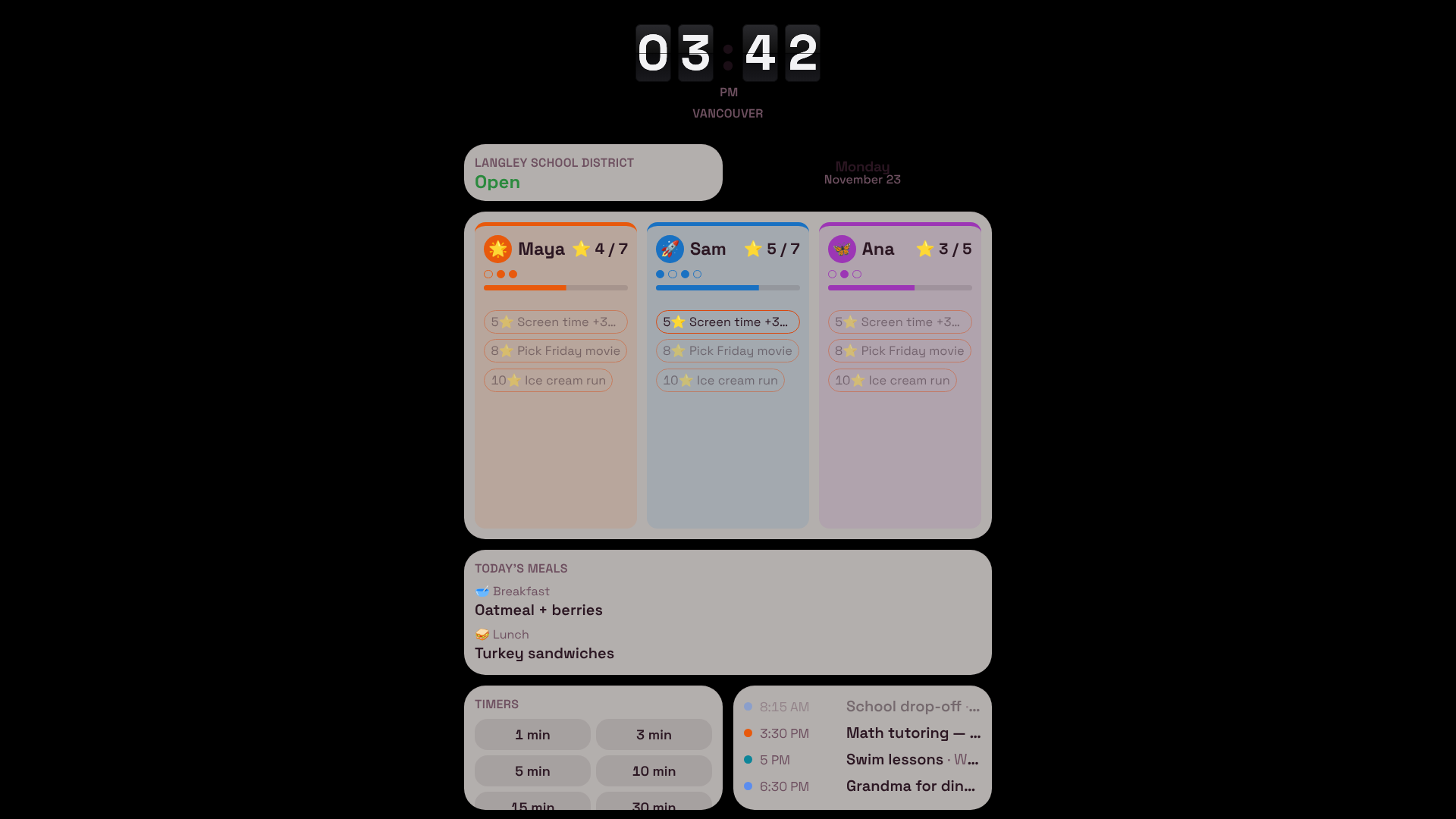
Show the chart as columns (one per child), by period (morning, afternoon, evening), or as progress rings for a quick “who's done” at a glance.
Set It Up
- In Settings › Chores, add each child with a name, an emoji, a colour and an optional weekly star goal.
- Add chores: name, emoji, stars, days, time of day, who does it and how turns rotate.
- Add a few rewards and their star cost. Set a PIN if you want one.
- In Views, start from Kids Routine, or add a Chore Chart tile to any view. Turn on Tap to Tick Off in its settings.
- Open Family › Kids Chores on a child's phone, or scan the kitchen QR code, so they have their own page.
Tips From Families Who Stuck With It
- Start with three chores per child. Add more once the habit is there.
- Make the first reward cheap, so the first week ends with a win.
- Put the chart where the chores happen: by the kitchen for dishes, by the door for backpacks.
Tip. The chore chart is part of Household. It's separate from Google Tasks on purpose: kids get stars, not a to-do list.
Ready to try it? Start Free on Everydaypane.